Add SMS Steps to Your HubSpot Sequences
Combine email, SMS, and calling in multi-channel outreach sequences. Reach prospects on the channel they actually respond to — built natively for HubSpot Sales Hub.
Why Add SMS to Your Sequences
Email-only sequences leave pipeline on the table. Prospects are drowning in email but they read almost every text.
Average email open rate
Average SMS open rate
How It Works
YetiConnect adds SMS as a native step type in the HubSpot sequence builder.
Open the Sequence Builder
Create a new sequence or edit an existing one in HubSpot Sales Hub. The YetiConnect SMS step type appears alongside email and task steps.
Add SMS Steps
Drag an SMS step into your sequence. Compose your message with personalization tokens. Set the delay from the previous step.
Enroll and Engage
Enroll contacts into the sequence. SMS messages fire automatically on schedule. Replies pause the sequence and route to the rep for live conversation.
Example Multi-Channel Sequence
A proven cadence that combines email, SMS, and calling for maximum response rates.
Day 1 — Personalized Email
Open with a tailored email referencing the prospect's company and a relevant pain point. Set the tone for the sequence.
Day 2 — SMS Follow-Up
Send a short, friendly text referencing the email. Keep it under 160 characters. Example: "Hi {{first_name}}, sent you a quick note yesterday about {{company}} — worth a look?"
Day 3 — Call Task
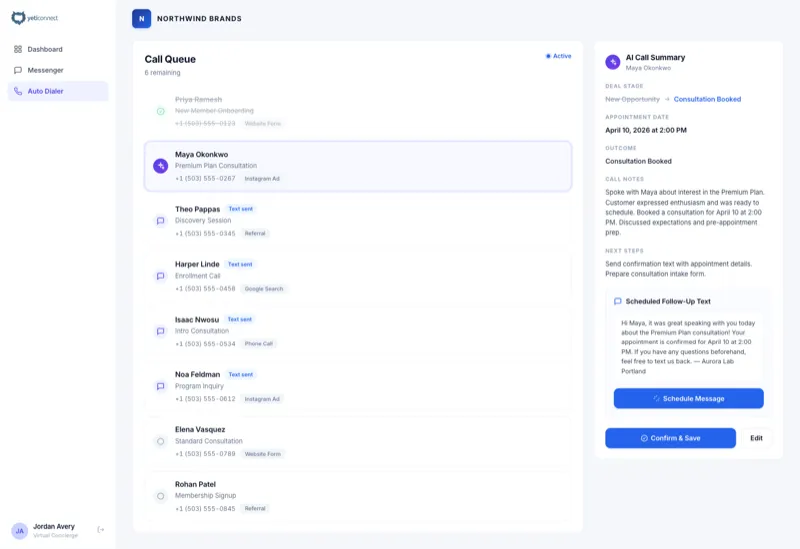
The sequence creates a call task. Use the YetiConnect AI Smart Dialer to power through your call list and connect with live prospects.
Day 5 — Value-Add Email
Share a relevant case study or resource. Provide value before asking for the meeting again.
Day 7 — Final SMS
Close the loop with a brief text. Create gentle urgency: "Last check-in — would a 15-min call this week make sense?"
Sequence SMS Best Practices
Keep It Short
SMS messages should be concise and conversational. Aim for under 160 characters to keep the message in a single segment. Get to the point quickly.
Time It Right
Send sequence SMS during business hours in the contact's timezone. YetiConnect respects quiet hours automatically. Space SMS steps at least one day apart from email steps.
Personalize Every Message
Use HubSpot personalization tokens for first name, company, and rep name. Generic texts get ignored. Personalized texts get replies.
Include a Clear CTA
Every SMS should have one clear ask. "Worth a 15-min call?" or "Reply YES to confirm" gives the prospect a simple next action.
Frequently Asked Questions
Make Your Sequences Multi-Channel
Add SMS to the sequences you already run and watch reply rates climb. See it in action with a personalized demo.
Sequence SMS is part of our complete HubSpot integration platform .
Not on HubSpot? See all integration options →